Claude Code usage limits: what the messages mean, and how to keep working
How Claude's 5-hour session and weekly limits work on Pro, Max and Ultra, what each Claude Code limit message means, and how to keep the task going.
The short answer
Claude subscription plans include a rolling usage allowance. When it runs out, Claude Code stops sending requests until the reset time in the message. The session and weekly limits cover every model, so switching models doesn't help; the Opus and Sonnet limits cover only that model family, so /model to another family keeps you going.
| Message | What it covers | Switching models helps? |
|---|---|---|
| You've hit your session limit · resets … | All models, rolling session window | No |
| You've hit your weekly limit · resets … | All models, weekly allowance | No |
| You've hit your Opus limit · resets … | Opus models only | Yes, to a non-Opus model |
| You've hit your Sonnet limit · resets … | Sonnet models only | Yes, to a non-Sonnet model |
Usage counts against the session and weekly allowances at the same time, so one heavy burst can use up the week before the session window resets.
How the 5-hour and weekly limits work
Paid Claude plans have two kinds of limits: a session limit that resets every five hours, and weekly limits that reset once a week. Usage on claude.ai, Claude Code and the Claude desktop app counts toward the same limits. How fast you use them depends on conversation length and complexity, the features you use, the model and the effort level.
- The 5-hour window starts with your first message and resets in full five hours later.
- The weekly reset is a fixed day and time assigned to your account. It doesn't move with when you start using Claude or when you subscribed. Settings › Usage on claude.ai shows it.
- If the 5-hour limit runs out mid-response, Claude Code may finish the step in progress and show “Usage limit reached · wrapping up”. On Pro that happens up to once a week; on Max, each time you reach the 5-hour limit. Anthropic says this is still rolling out.
- Anthropic doesn't publish exact allowances for any plan, and says it may adjust limits to manage capacity.
| Plan | 5-hour limit | Weekly limit | Fable weekly limit |
|---|---|---|---|
| Pro | Yes | Yes | — |
| Max | Yes | Yes | Yes |
| Ultra | None on verified accounts | Yes | Yes |
Anthropic lists a separate Fable weekly limit only for Max and Ultra; depending on the plan, Fable can bill to usage credits instead of your included limits. On Team and seat-based Enterprise plans, usage credits go through an admin, and usage-based Enterprise plans are billed by consumption.
What Anthropic suggests
- Wait for the reset time in the message. In the CLI, “Continue automatically at usage limit” in
/configpicks the task up after the reset; in the desktop app, the session-limit card has “Auto-continue when limits reset” (the weekly-limit card doesn't). - Run
/usageto see your plan limits and when they reset. - For the Opus or Sonnet limit, run
/modeland pick a model from another family. The next request re-reads the whole conversation without cache hits. - Run
/usage-creditsto buy additional usage on Pro, Max and Ultra, or to request it from your admin on Team and Enterprise. - For higher base limits, upgrade your plan at claude.com/pricing: Anthropic points Pro users to Max, and Max users to Ultra.
Keep the task going in Mirasim
- Claude Code hits a limit
The message shows when it resets
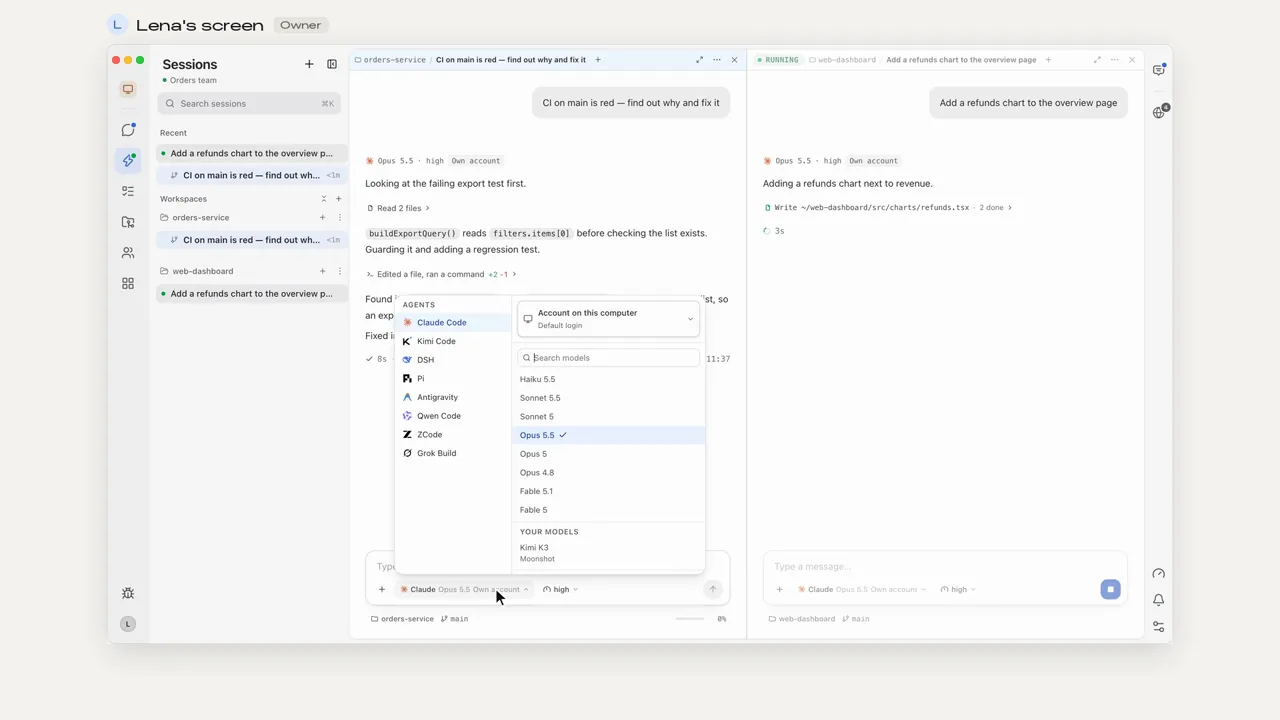
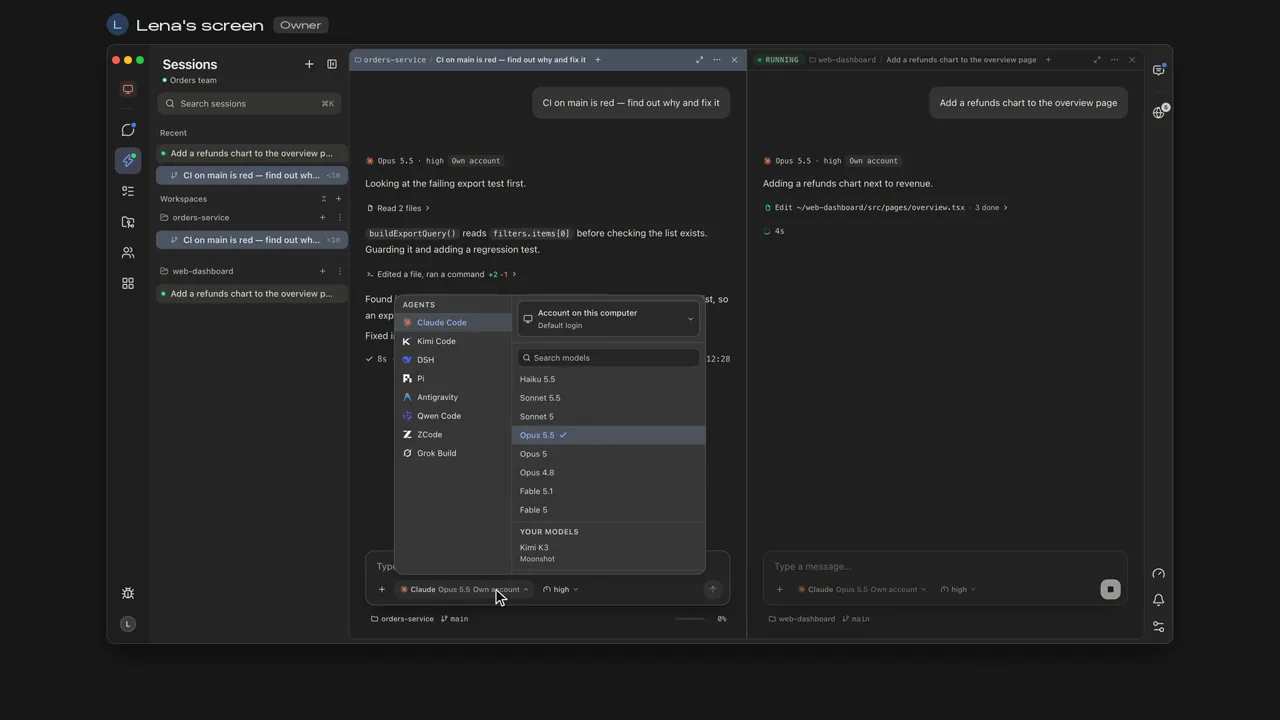
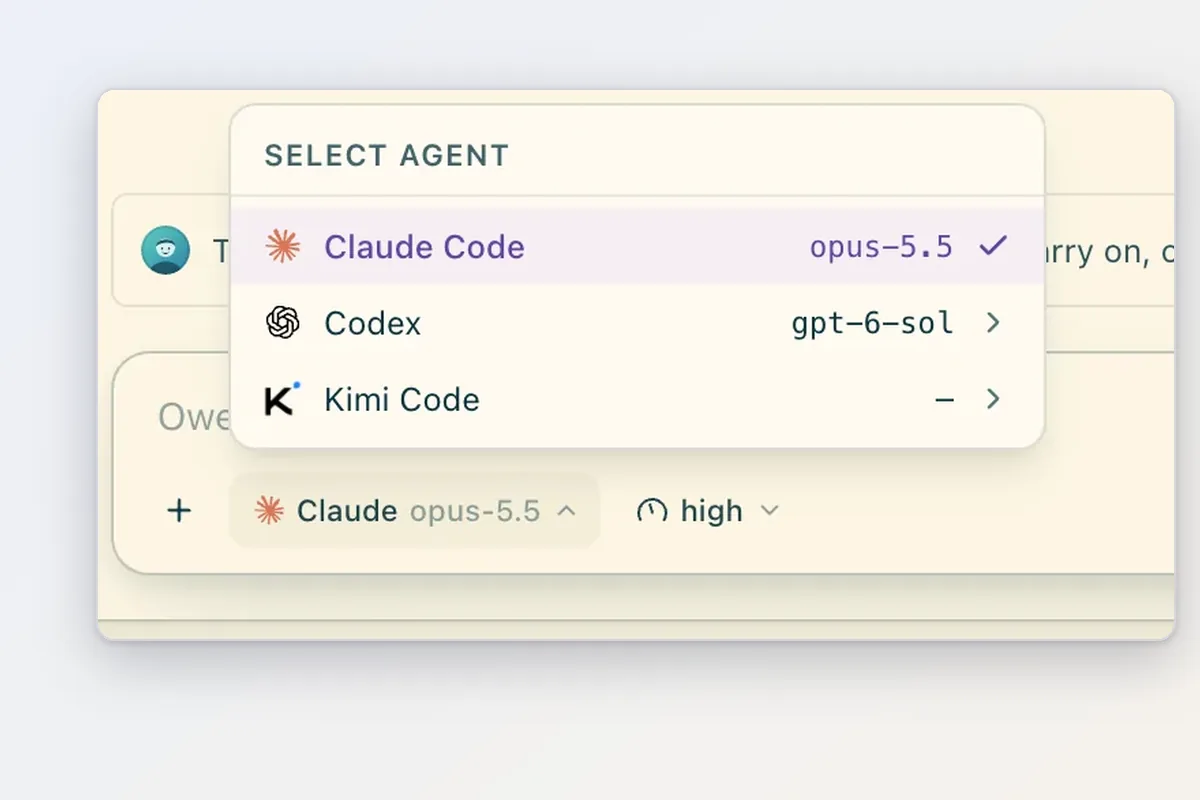
- Switch the agent in the same pane
Codex, Kimi Code, DeepSeek Harness or another agent
- The conversation comes along
Same pane, same transcript; the new agent picks up from there
- Switching agents carries the conversation over, so the task doesn't start from scratch.
- Or stay on Claude Code and pick a model under Built-in, which runs on Mirasim credit rather than your Claude plan.
- Each saved account shows its live quota: the plan, how much of each current window is used, and when it resets. Open the account card at the bottom left › Usage.
Chapter 16 · Models, accounts and quota › Several accounts, and live quota →
Article · Codex usage limits: when they reset, and what to do when you hit one → The same question for Codex: when its limits reset.
Article · Claude Opus 5.5 in Claude Code: vs Sonnet 5.5 and Fable 5.2, how to switch, what it costs → Opus 5.5, Sonnet 5.5 or Fable 5.2: which model to run, and what each costs.
Questions
- Does switching models reset the limit?
- Not for the session or weekly limit, which cover every model. For the Opus or Sonnet limit, a model from another family keeps you working.
- How do I see how much I have left?
- Run
/usagein Claude Code, add therate_limitsfields to a custom status line, or click the usage ring in the Claude desktop app. In Mirasim, the Usage panel shows each account's windows and reset times. - When does the 5-hour limit reset?
- Five hours after the first message of the window, in full. Settings › Usage on claude.ai shows the time left under Current session, and
/usageshows it in Claude Code. - When does the weekly limit reset?
- At a fixed day and time assigned to your account, the same every week. It doesn't depend on when you subscribed. Settings › Usage shows the next reset.
- What does “You've used 90% of your session limit” mean?
- It's a warning, not a stop: most of the current window is used. Requests keep going until it runs out, and the time in the message is when it resets.
- Do claude.ai and Claude Code share the same limit?
- Yes. Usage on claude.ai, Claude Code and the Claude desktop app all counts toward the same session and weekly limits.
- What is extra usage, and can I buy more?
- Anthropic's help center calls it usage credits. On Pro, Max and Ultra, once an included limit runs out, requests continue at standard API rates until you reach your monthly spend limit or your balance runs out. Turn it on in Settings › Usage on claude.ai or with
/usage-credits; on Team and Enterprise,/usage-creditsasks your admin. It doesn't change when your limits reset. - Does Mirasim raise my Claude limits?
- No. Your Claude plan's limits are Anthropic's. Mirasim lets the same session carry on with another agent, or with a built-in model on Mirasim credit.
Article · Agentic coding is cheap per call, but expensive per hour → What agentic coding costs, and where the tokens go.
Article · Claude Team plan vs Enterprise: what a development team gets → Claude Team vs Enterprise: how usage works for a team.
Sources
The limit messages and Anthropic's suggestions were checked against the Usage limits section of code.claude.com/docs/en/errors on November 8, 2026. The 5-hour and weekly rules and the plan table were checked on November 17, 2026 against Anthropic's help articles “How do usage and length limits work?”, “Use Claude Code with your Pro, Max, or Ultra plan” and “Manage usage credits for paid Claude plans” on support.claude.com. Anthropic doesn't publish exact allowances, and plans change, so check those pages and claude.com/pricing for the latest.
Keep reading
Code review with Claude Code and Codex: /review, GitHub reviews and a second opinion
Code review with Claude Code and Codex: /review for local changes, automatic GitHub PR reviews, where review rules go, and a second opinion from the other agent.
Hooks in Claude Code and Codex: run your own commands when the agent acts
What hooks are in Claude Code and Codex, where they go, when they fire, and examples: a notification, formatting after edits, blocking edits to protected files.
Claude Code and Codex permission modes: auto, plan, --dangerously-skip-permissions and --yolo
What each Claude Code and Codex permission mode allows without asking, what --dangerously-skip-permissions and --yolo turn off, and safer ways to get fewer prompts.